When I was testing current with my Kaiweets KM601 multimeter the other day, I must’ve pushed it too far and blown its internal fuse. So I decided to crack it open and check.
Opening the Multimeter
First, I made sure the multimeter was off and unplugged from any circuit. The Kaiweets KM601 has a back panel held together with a few small screws, so I grabbed a precision screwdriver and carefully removed them. Once the back was off, I could see the two fuses inside: a smaller 600mA fuse and a 10A one. Just gently pop them out, you wouldn’t want to damage anything.
Test The Fuses
With the fuses out, I reassembled multimeter and used it to check the fuse. I decided to use the continuity setting as it’s the easiest way to check if a fuse is good or blown. I switched to the continuity mode (the one with the little speaker symbol that beeps), plugged in the probes (black to COM, red to the V/Ω slot), and got ready to test.
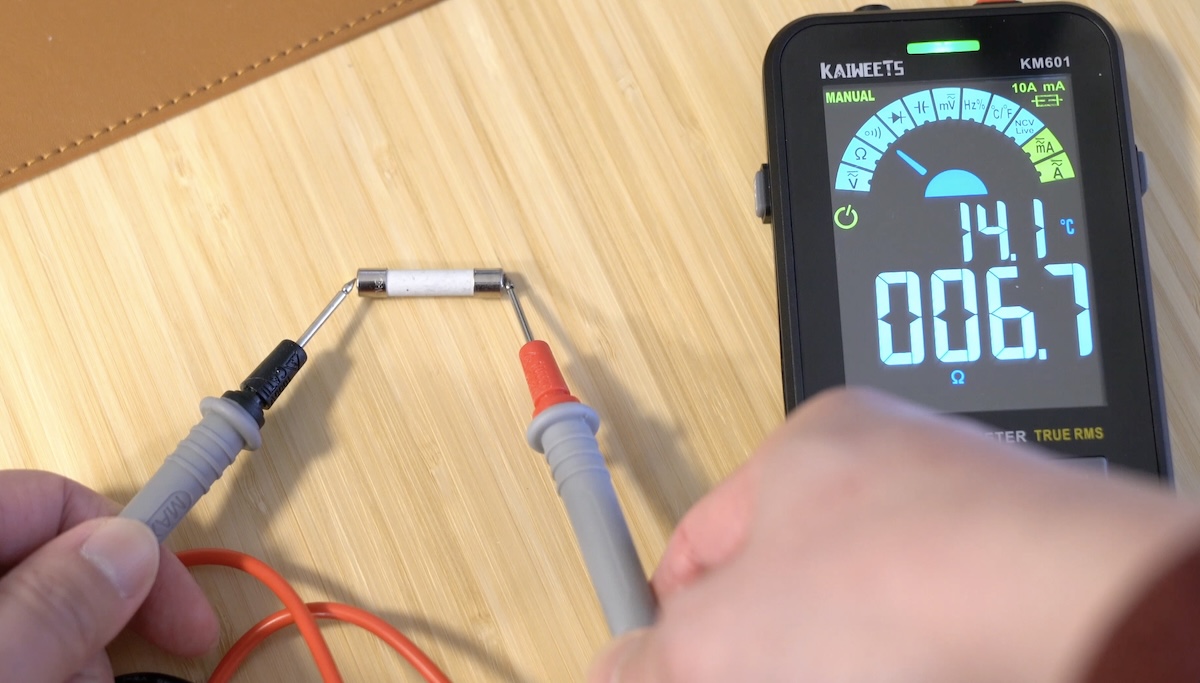
I started with the 600mA fuse. I touched the probes to each end of the fuse, making sure I had solid contact with the metal caps. The multimeter beeped right away, a steady tone telling me the fuse was intact – current could flow through it just fine. That made sense because I’d been testing higher currents when the Kaiweets KM601 gave out, so this small fuse wasn’t the one that took the hit.
Next up was the 10A fuse. I touched the probes to its ends. No beep. I double-checked my probe placement and tried again – still silence. That confirmed the 10A fuse was blown.
Double-Checking with Resistance
Just to be thorough, I switched my multimeter to the resistance setting (Ω) and tested both fuses again. For the 600mA fuse, the display hovered around 0.2 ohms – which is what you’d expect from a good fuse. For the 10A fuse, though, it just showed “OL” (open line), meaning infinite resistance. That confirmed the 10A fuse was broken and needs to be replaced.
I’ll need to find one with the same size and same rating (10A, 250V) and pop it back in. Hopefully, this helps if you ever find yourself in the same spot!