Content is king, so they say. But some might be missing is the inevitable fact that content generation is also one of hardest things to accomplish on a daily basis. Now disseminating that content to a large group of audiences is another story entirely.
LinkedIn Pulse comes to your aid.
Redesigned in June this year, the application has helped several content creators reach a wider audience. Because distributing content after creating them often poses an even greater challenge for content owners, the integration of LinkedIn Pulse into the content marketing strategy could help address the challenge.
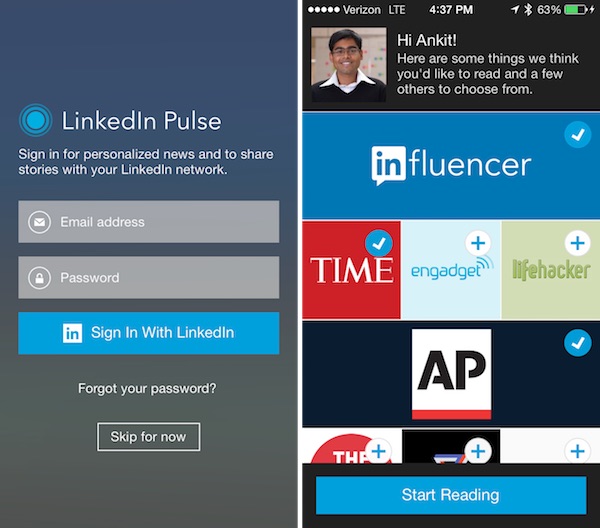
Prior to the LinkedIn Pulse publishing platform, users could only post their long-form content via the influencer program of the social networking site for professionals. LinkedIn Pulse was later made available to all users to accommodate the demand of those who wish to share their content to more readers.
To locate LinkedIn Pulse, look at the top of your LinkedIn home page and there you have the option to “Publish a post” as it is indicated, and you can start publishing your article for all the LinkedIn users to read. Although the prime intention is to produce fresh content for the feature, some users have learned that it is more useful when you choose to re-publish an article via Pulse. In other words, the platform is more popularly utilized as a distribution tool rather than a creation service for content.
And this practice has increasingly become more and more effective through time as testified by many users.
For example, in an attempt to reach out to fresh readers, some users keep re-posting their previously published articles on LinkedIn Pulse with an eye toward expanding their connections as well. It is a fact that there is quite a leap in the number of readers for the reposted content compared with the original publishing metrics.
If your content did not perform well when you initially published it on your website or any other platform, then take the extra mile of looking for another channel to reach more readers.
In addition, you can also use LinkedIn’s other features to increase your readership. Try to promote your content by leveraging the potential of your personal and business page. It pays to have both a business page and personal profile because with a business page, you can pay for a sponsored post service, while the personal page allows you to published long-form content.